Untitled from Stephanie Oglesby on Vimeo.

Friday, 10 December 2010

After Effects Tutorial 2
Using Photoshop and Illustrator with after effects
Preparing a document to use in after effects
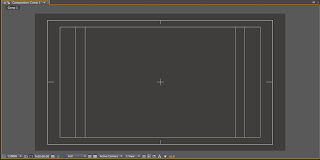
NEW> FILE> PAL DI/ DV Widescreen Square Pixel

Inner rectangle= Title Safe Zone
Outer rectangle= Action Safe Zone
Can be viewed in after effects too


By keeping the files together in the same place, after effects enables you to update file (example text file) from photoshop and illustrator.
FILE> Collect files>
Will collect all files used into one.
By starting with a layered photoshop file it will allow you to work with layers in AE


Preparing a document to use in after effects
NEW> FILE> PAL DI/ DV Widescreen Square Pixel

Inner rectangle= Title Safe Zone
Outer rectangle= Action Safe Zone
Can be viewed in after effects too


By keeping the files together in the same place, after effects enables you to update file (example text file) from photoshop and illustrator.
FILE> Collect files>
Will collect all files used into one.
By starting with a layered photoshop file it will allow you to work with layers in AE


Thursday, 9 December 2010
Wednesday, 8 December 2010


Tuesday, 7 December 2010
Fonts, weights and sizes.
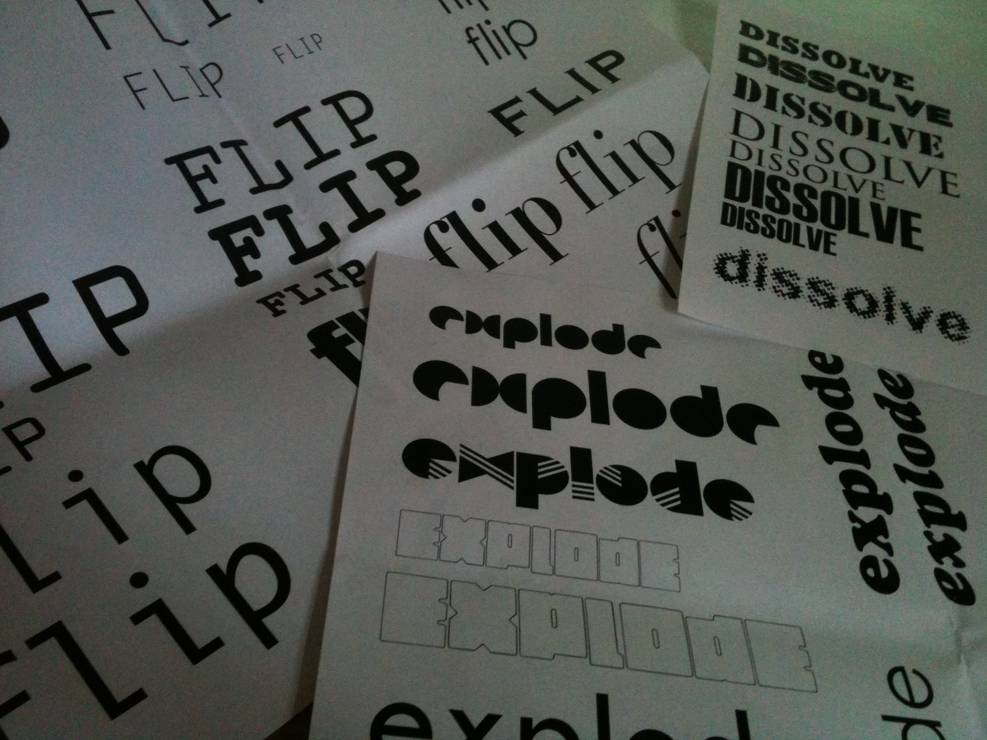
I have started investigating what fonts i will use for the word i will be manipulating for my silent movie.
Dissolve..
I have chosen a selection of heavier weighted fonts as i will be subtracting parts of the letters away on each slide until there is nothing left of the word, for this i will need a heavy weight so there is more of the word to play with.
Flip..
For flip i need to chose i font that will allow me to create 3d letterforms as when they flip you will see the word from different angles.
Explode...
I am thinking about using a font with a smaller amount of white space, smaller if not no counters so that the letterforms appear solid and whole so that when they explode it will be a larger contrast

Dissolve..
I have chosen a selection of heavier weighted fonts as i will be subtracting parts of the letters away on each slide until there is nothing left of the word, for this i will need a heavy weight so there is more of the word to play with.
Flip..
For flip i need to chose i font that will allow me to create 3d letterforms as when they flip you will see the word from different angles.
Explode...
I am thinking about using a font with a smaller amount of white space, smaller if not no counters so that the letterforms appear solid and whole so that when they explode it will be a larger contrast
Saturday, 4 December 2010
Dissolve
Looking at fonts that have been effected by subtraction...


From looking at different fonts i can see that the ones that work the best are the heavier weighted fonts in a larger size. Although i could use a font that uses a solid outline to show a word dissolving through the letterforms from one side to another as though it is absorbing water.


From looking at different fonts i can see that the ones that work the best are the heavier weighted fonts in a larger size. Although i could use a font that uses a solid outline to show a word dissolving through the letterforms from one side to another as though it is absorbing water.
Wednesday, 1 December 2010

Subscribe to:
Posts (Atom)